Why traders still pick MT4 over newer platforms
MetaQuotes stopped issuing new MT4 licences some time ago, nudging brokers toward MT5. Yet most retail forex traders kept using MT4. The reason is straightforward: MT4 does one thing well. Thousands of custom indicators, Expert Advisors, and community scripts run on MT4. Moving to MT5 means porting that entire library, and few people don't see the point.
I've tested MT4 and MT5 side by side, and the gap is marginal for most strategies. MT5 adds a few extras such as more timeframes and a built-in economic calendar, but chart functionality is nearly identical. If you're weighing up the two, MT4 is more than enough.
MT4 setup: what the manual doesn't tell you
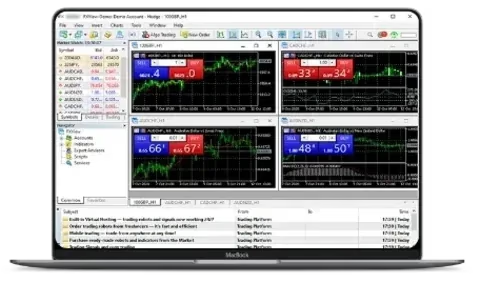
Installation takes a few minutes. What actually causes problems is getting everything configured correctly. Out of the box, MT4 loads with four charts tiled across a single workspace. Close all of them and start fresh with the markets you follow.
Templates are worth setting up early. Build your go-to indicators once, then save it as a template. After that you can apply it to any new chart without redoing the work. Small thing, but over time it saves hours.
One setting worth changing: open Tools > Options > Charts and tick "Show ask line." MT4 only shows the bid price on the chart, which can make entries appear wrong by the spread amount.
How reliable is MT4 backtesting?
The strategy tester in MT4 lets you run Expert Advisors against historical data. But here's the thing: the accuracy of those results comes down to your tick data. The default history data is not real tick data, meaning it fills in missing ticks mathematically. For anything beyond a rough sanity check, grab real tick data from a provider like Dukascopy.
Modelling quality is more important than the bottom-line PnL. Below 90% suggests the results aren't trustworthy. I've seen people show off backtests with 25% modelling quality and wonder why their live results don't match.
The strategy tester is one of MT4's stronger features, but the output is only useful with quality tick data.
Building your own MT4 indicators
MT4 ships with 30 default technical indicators. Few people use more than five or six. That said, the real depth lives in custom indicators built with MQL4. The MQL5 marketplace alone has thousands available, covering everything from tweaked versions of standard tools to complex multi-timeframe dashboards.
The install process is painless: drop the .ex4 or .mq4 file into the MQL4/Indicators folder, reboot MT4, and you'll find it in the Navigator panel. The catch is reliability. Free indicators range from excellent to broken. Some are genuinely useful. Some are abandoned projects and will crash your terminal.
If you're downloading custom indicators, check how recently it was maintained and if users report issues. A broken indicator doesn't only show wrong data — it can lag the whole terminal.
Risk management settings most MT4 traders ignore
You'll find several built-in risk management tools that a lot of people don't bother with. The most useful is maximum deviation in the order window. This controls how much slippage is acceptable on market orders. Leave it at zero and the broker can fill you at whatever price comes through.
Stop losses are obvious, but trailing stops are worth exploring. Click on an open trade, select Trailing Stop, and define the pip amount. It adjusts automatically as the trade goes in your favour. Not perfect for every strategy, but if you're riding trends it takes away the temptation to sit and watch.
These settings take a minute to configure and they remove a lot of the emotional decision-making.
Expert Advisors — before you trust a robot with your money
EAs sounds appealing: define your rules and let the machine execute. The reality is, the majority of Expert Advisors underperform over any meaningful time period. The ones advertised with perfect backtest curves tend to be fitted to past data — they worked on the specific data they were tested on and stop working once market conditions change.
This isn't to say all EAs are a waste of time. Some traders build personal EAs for one read particular setup: opening trades at session opens, automating position size calculations, or closing trades at set levels. These utility-type EAs tend to work because they execute mechanical tasks where you don't need judgment.
Before running any EA with real money, use a demo account for a minimum of a few months. Live demo testing is more informative than backtesting alone.
MT4 beyond the desktop
MT4 is a Windows application at heart. If you're on macOS deal with friction. The traditional approach was Wine or PlayOnMac, which did the job but came with visual bugs and stability problems. Certain brokers now offer native Mac apps built on Crossover or similar wrappers, which work more smoothly but still aren't built from scratch for Mac.
On mobile, on both iOS and Android, are surprisingly capable for monitoring your account and managing trades on the move. Serious charting work on a phone screen doesn't really work, but closing a trade on the go is worth having.
Look into whether your broker has a proper macOS version or just Wine under the hood — it makes a real difference day to day.